Nearcast

Nearcast

Nanuba - Short Video Creator

About

Nanuba is a short video creator module designed for the startup Nearcast. It was proposed as a replacement for current third-party software, aiming to save $100,000 annually while adding features tailored to user specific needs.

My Role

I redesigned the video creation flow, improving the experience for over 100K users. I identified pain points and limitations in the existing process, introduced new features, and simplified the Create > Post journey. This led to a 30% increase in daily videos posted and annual savings of $100K.

Role

Lead Designer

Timeline

2 months

4 sprints

5+ iterations

50+ screens

Impact

Cost Optimization

Transitioning from third-party dependencies to an in-house developed video editing module saved approximately $100,000 annually in licensing fees and reduced reliance on external plugins.

Cost Optimization

Transitioning from third-party dependencies to an in-house developed video editing module saved approximately $100,000 annually in licensing fees and reduced reliance on external plugins.

Scalable and Future-Proof Design

Modular design allows for easy updates and seamless feature additions.

Scalable and Future-Proof Design

Modular design allows for easy updates and seamless feature additions.

Improved User Engagement

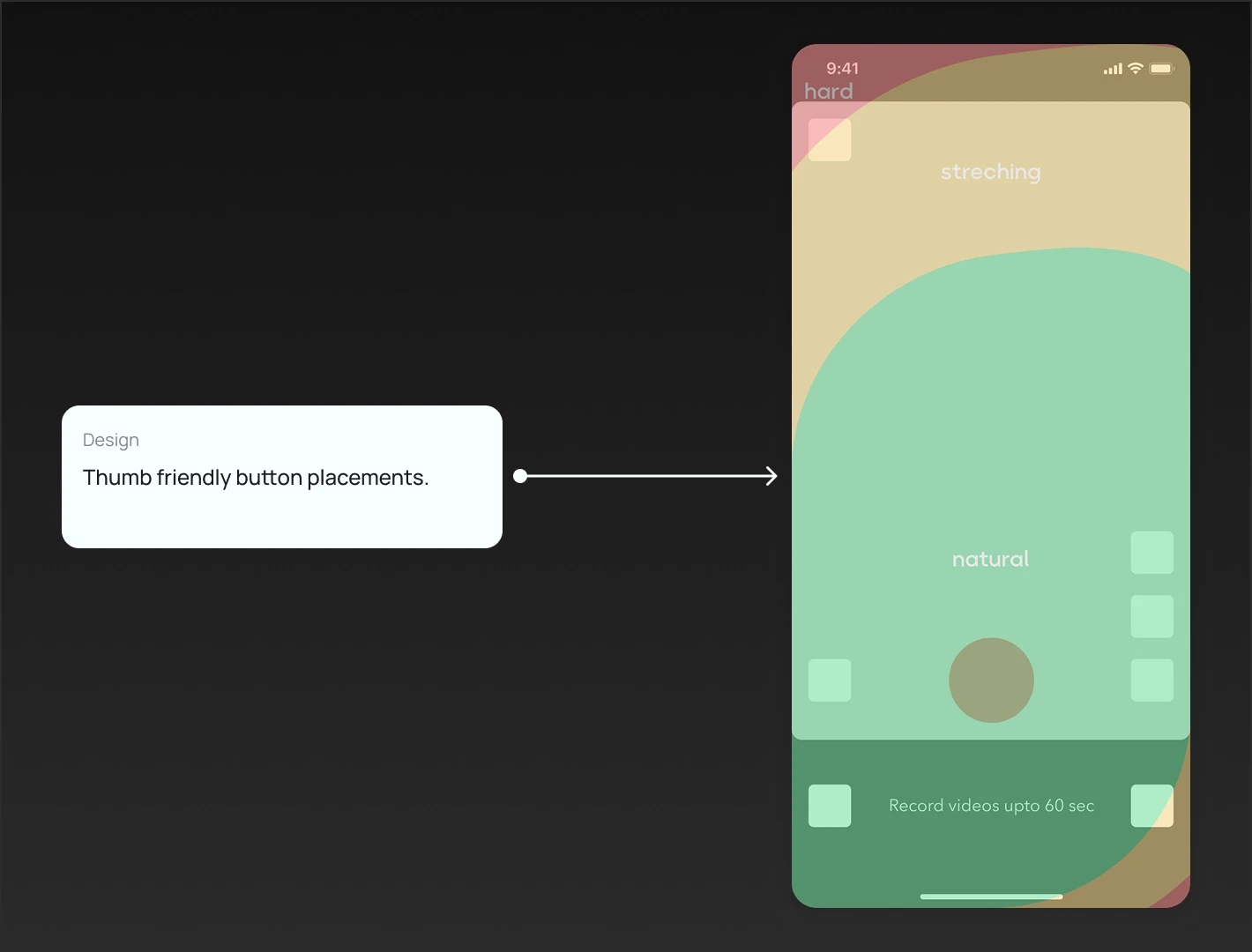
The redesign's simplified flow (Shoot > Edit > Publish) and thumb-friendly button placement significantly increased user engagement, leading to a 30% rise in daily videos posted.

Improved User Engagement

The redesign's simplified flow (Shoot > Edit > Publish) and thumb-friendly button placement significantly increased user engagement, leading to a 30% rise in daily videos posted.

Analysis

Heuristic analysis outlining the key usability problems and improvement opportunities.
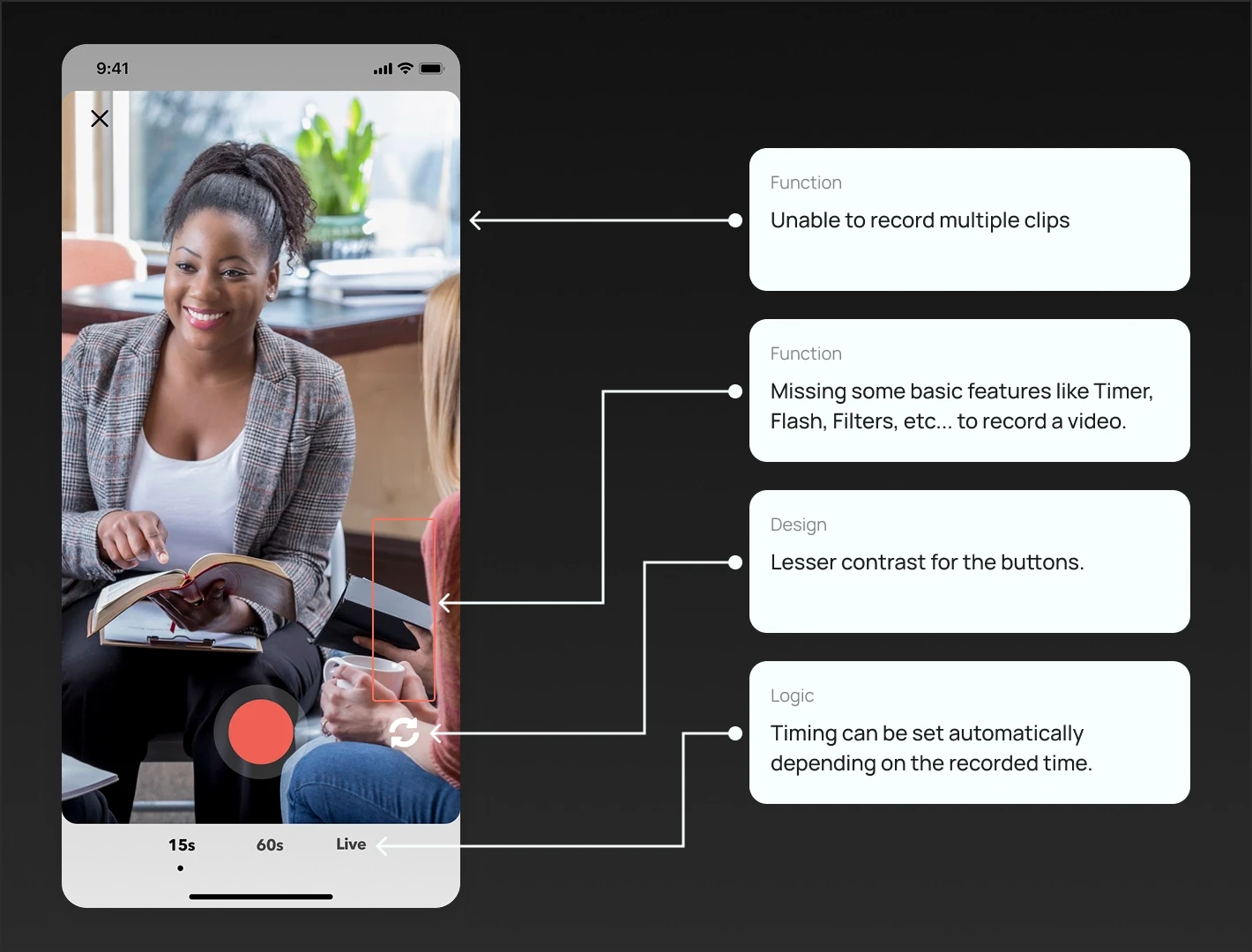
Areas of improvement

Identifying Key Pain Points for Optimization

1

Improve visual hierarchy

1

Improve visual hierarchy

2

Make the flow user friendly

3

Record multiple clips

3

Record multiple clips

5

Make the buttons consistent

4

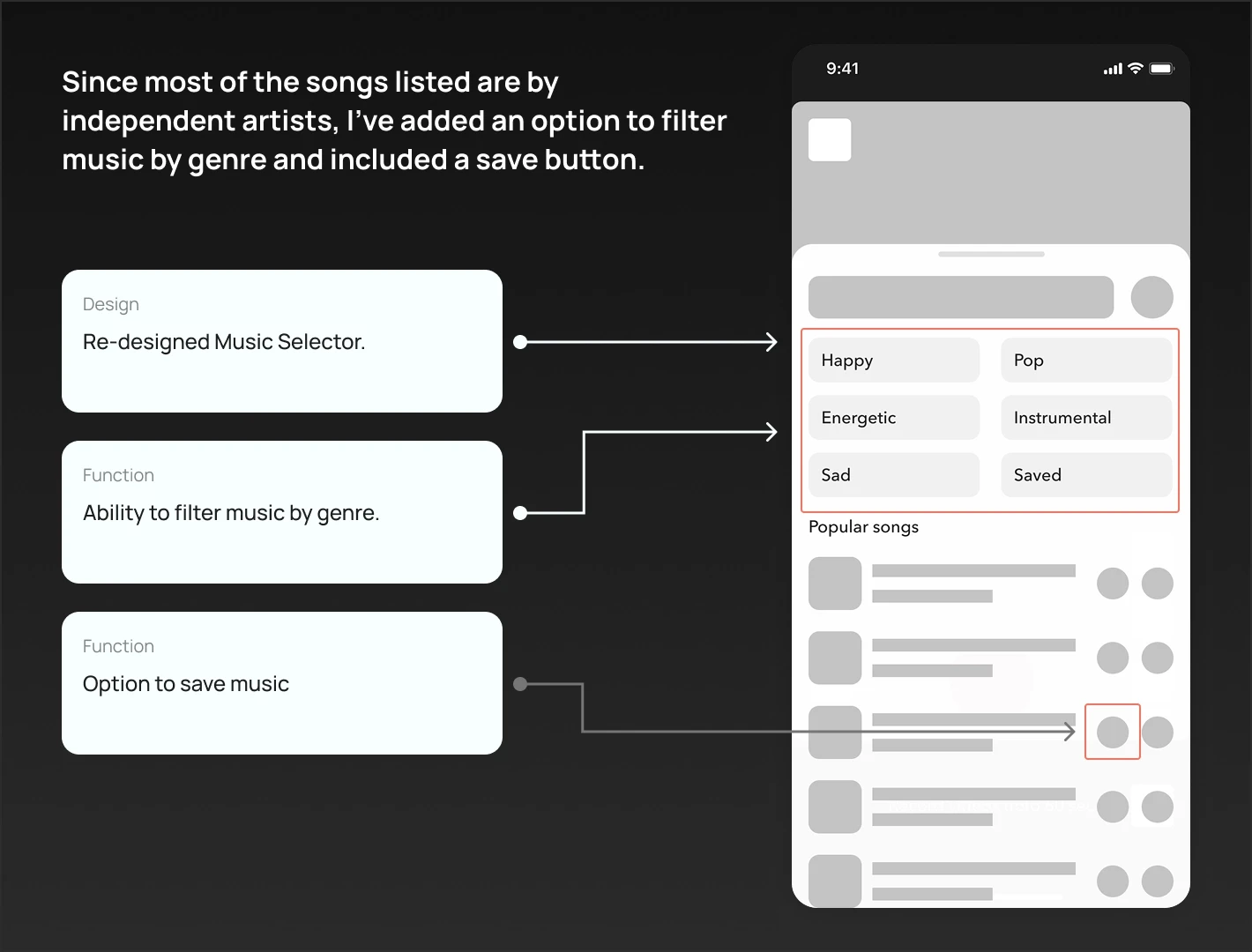
Redesign the music selector

2

Make the flow user friendly

5

Make the buttons consistent

4

Redesign the music selector

6

Introduce missing features

6

Introduce missing features

Feature Drafting

Translating Insights into Actionable Design Elements

Record multiple clips

Record multiple clips

Capture photo

Capture photo

Add music

Add music

Add stickers

Add stickers

Video filters

Video filters

Video effects

Flashlight

Video effects

Add from gallery

Flashlight

Add text

Edit video

Edit video

Change clip speed

Change clip speed

Trim videos

Trim videos

Volume controls

Volume controls

Add from gallery

Add text

Exploring & Designing

Ideating Solutions for Intuitive Design
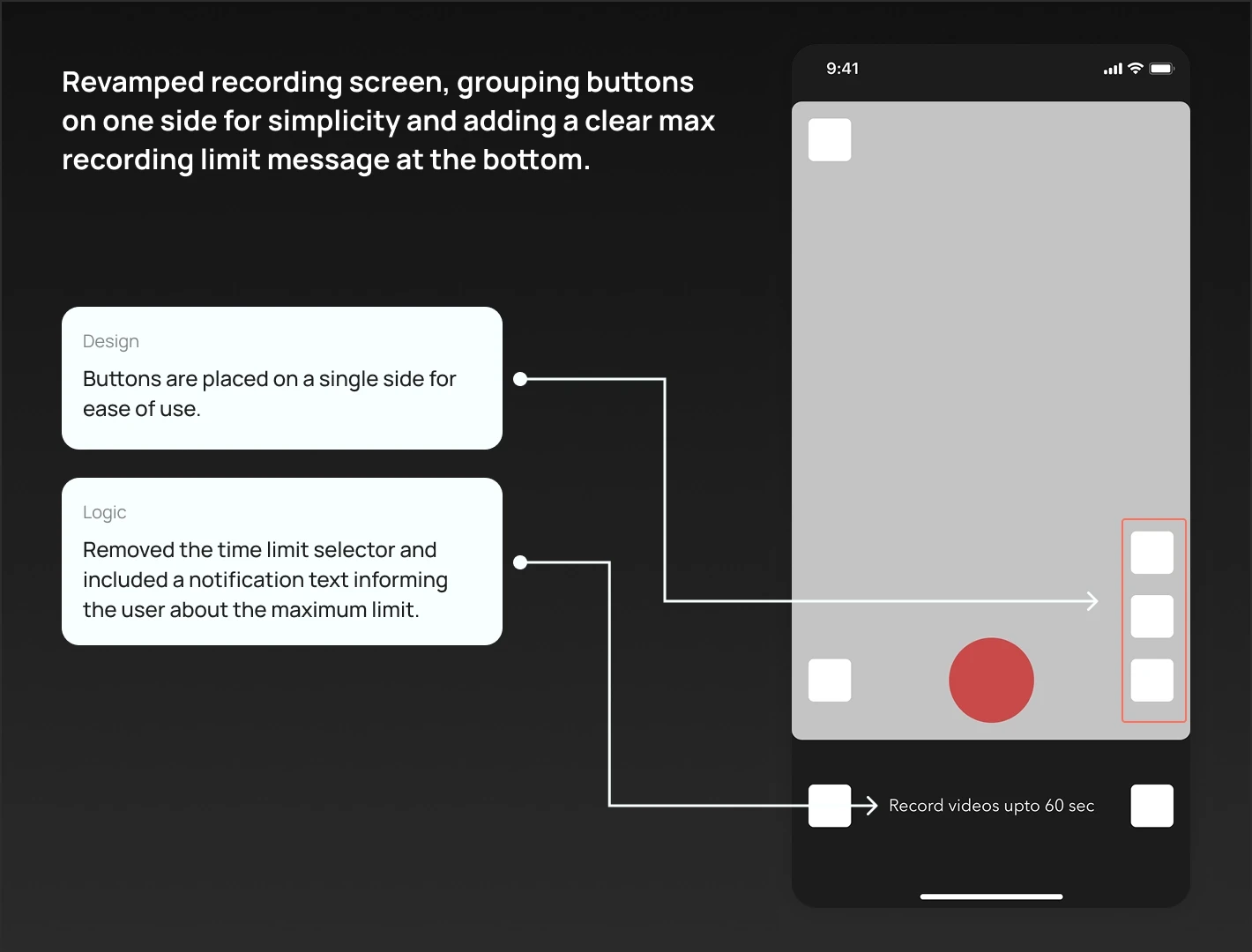
Design Flow

Finalized Design & Prototype

Before & After Redesign

Contrasting Challenges and Solutions in Action

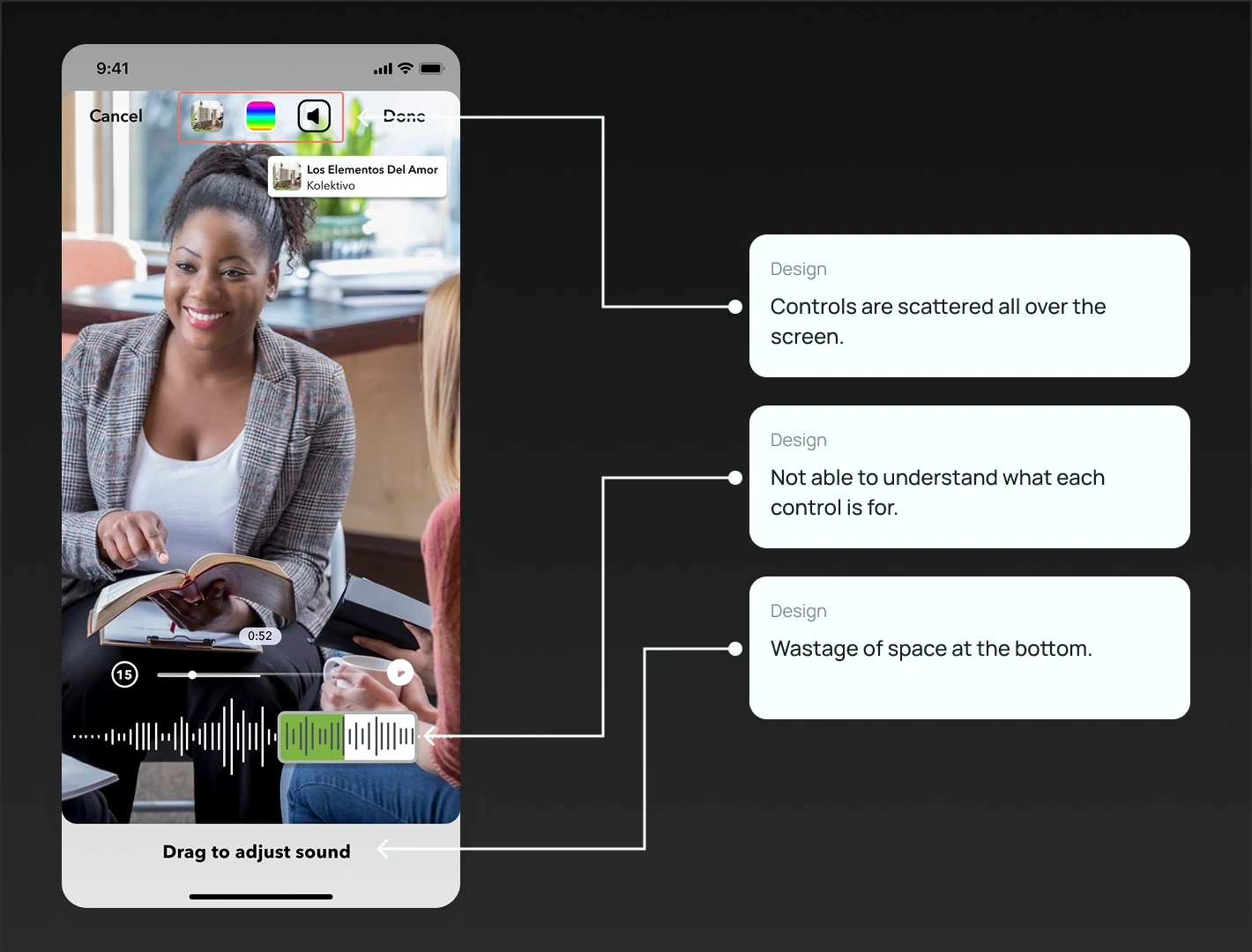
  1. Recording Interface

  1. Video Editor

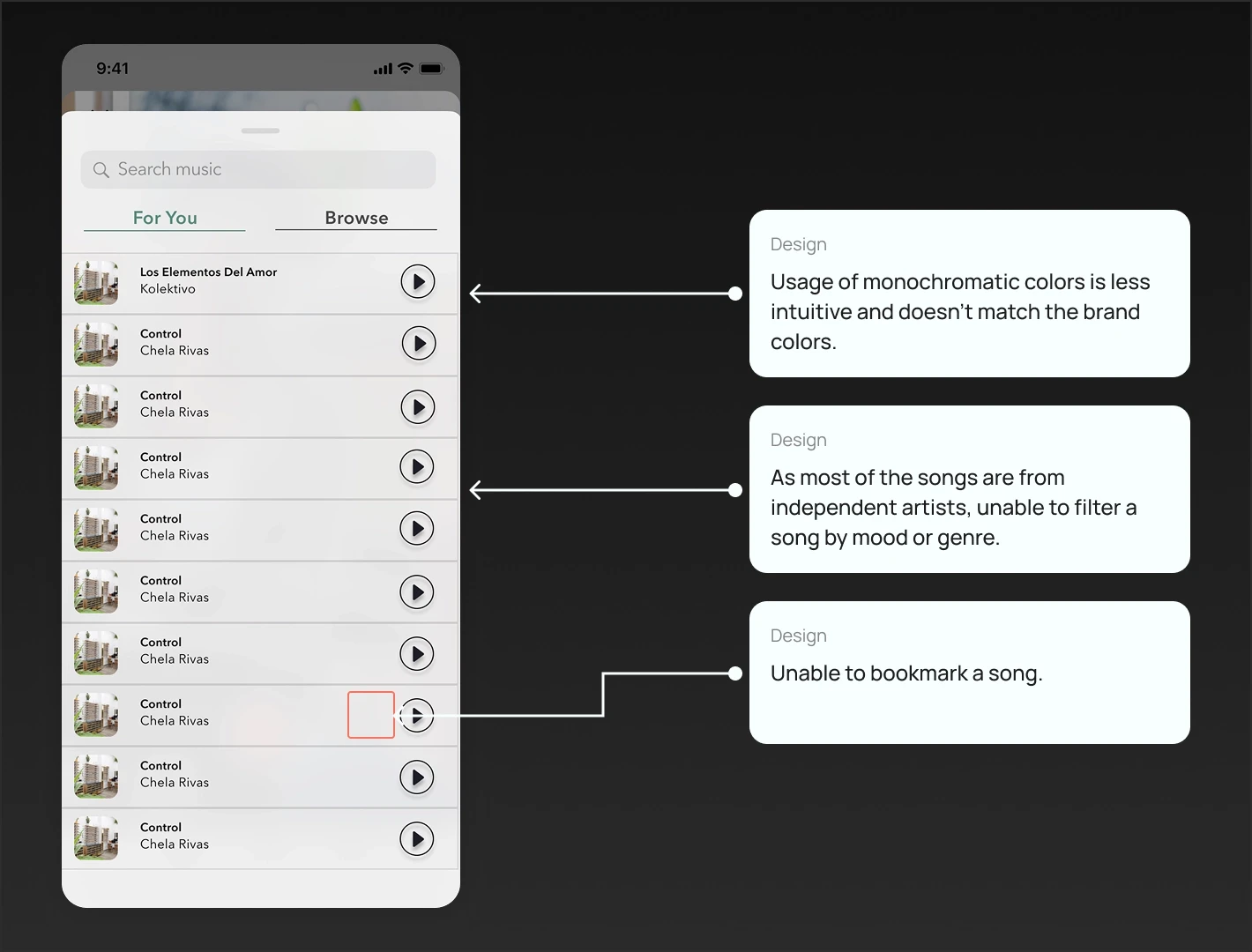
  1. Add Music

  1. Publish

Recording Interface

Video Editor

Add Music

Publish

Other Design Details

Spotlighting Supporting Elements and Decisions
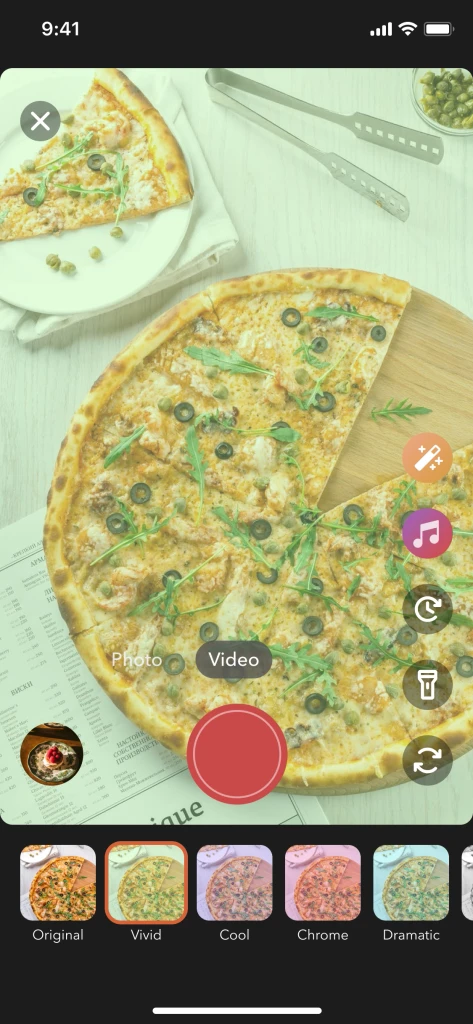
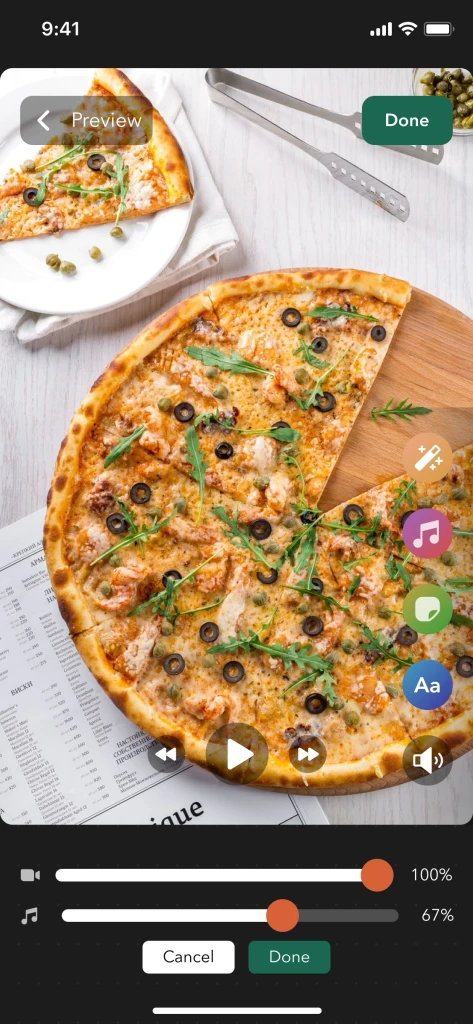
Add Filter

Add Filter

Add Filter

Adjust Volume

Adjust Volume

Adjust Volume

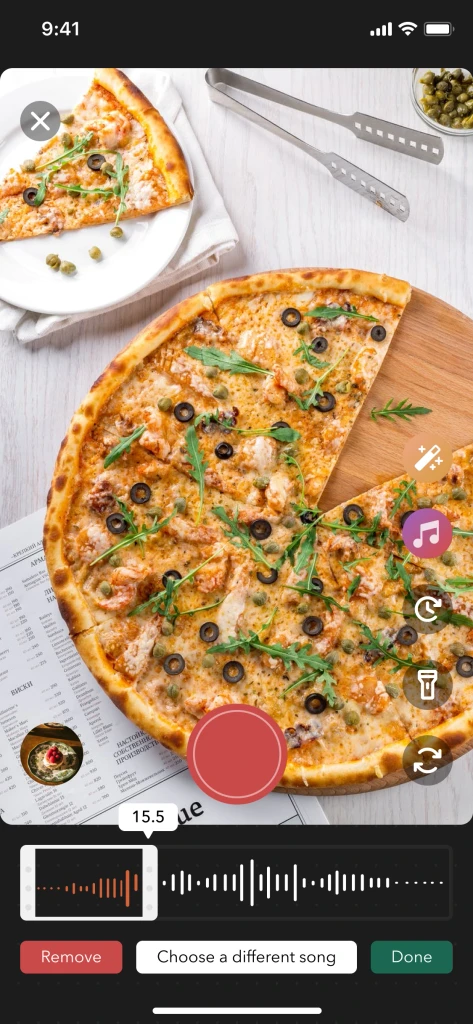
Trim Audio

Trim Audio

Trim Audio

Results

Evaluating Success: Data and User Insights

Video uploading has been increased by 30%

Video uploading has been increased by 30%

Video uploading has been increased by 30%

Saved $100K annually from paying for 3rd party services.

Saved $100K annually from paying for 3rd party services.

Saved $100K annually from paying for 3rd party services.

Adding music to videos has been increased by 60%

Adding music to videos has been increased by 60%

Adding music to videos has been increased by 60%

All rights reserved by Ramasarat PS • 2025

All rights reserved by Ramasarat PS • 2025

All rights reserved by Ramasarat PS • 2025

Create a free website with Framer, the website builder loved by startups, designers and agencies.